
Online Experience
Event Video Sponsorship: What You Can Offer Your Sponsors and How It Works
4 min read
Sponsors pay for reach, and the room has a fixed size. Video removes that limit: sponsor branding that stays online long after the event, numbers you can put in a report, and content sponsors can use on their own channels. Here are the video options you can add to your sponsorship offer, what each one gives sponsors, and how it works in practice.
Why Video Changes the Sponsor Conversation
Most sponsor benefits end when the event does. Banners come down, booths get packed, and the renewal conversation starts with "so what did we get?" Video gives you a better answer.
♾️It's permanent: recordings stay online indefinitely, so the branding keeps working.
📈 It's measurable: views, watch time and engagement, session by session.
🔁 It's reusable: full talks, highlights and clips sponsors can post on their own channels.
Full Session Recording
Every talk, professionally recorded and edited. Viewers watch in the SlidesLive Player, with speaker and slides side by side, browsable and resizable. Recordings are hosted in the SlidesLive Library for free, with no ads.
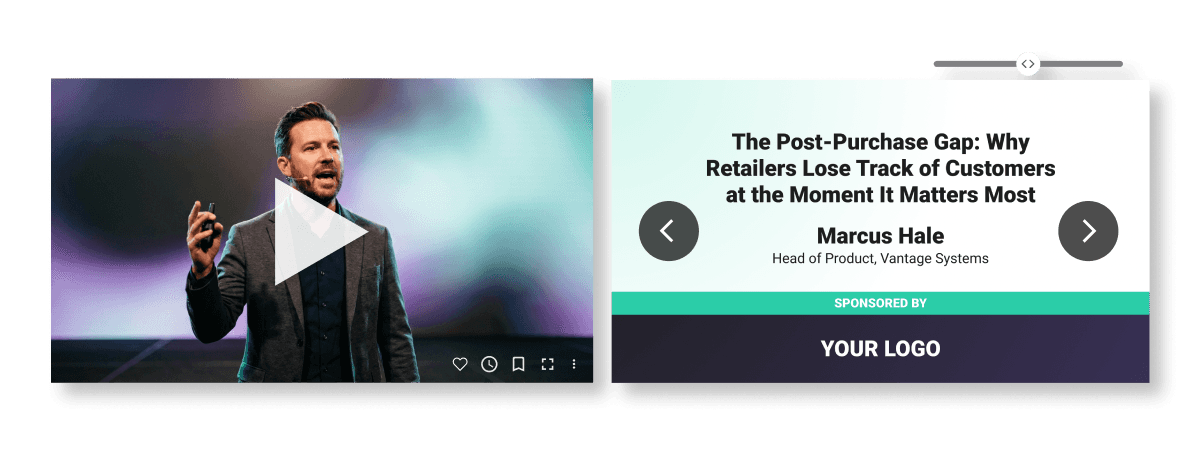
What sponsors get:
✔️ Their branding inside the video
✔️ Analytics on their sessions: views, watch time and engagement
✔️ An email gate that turns viewers into leads
✔️ The session embedded on their own website or platform
✔️ Captions and translation in any language
How it works: you tell your production manager which sessions or tracks are sponsored and how each one should be accessed: open, unlisted, password-protected, paid or behind an email gate. After the event, sessions are edited, graphics are added and everything goes live in the SlidesLive Library. In a hurry? Express editing can deliver sessions in as little as 12 hours.
Try the SlidesLive Player on a NeurIPS 2025 session ›
Branded Graphics, in the Room and on Video
Custom graphics built into the venue projection, the live stream and the on-demand recordings. One design, every screen.
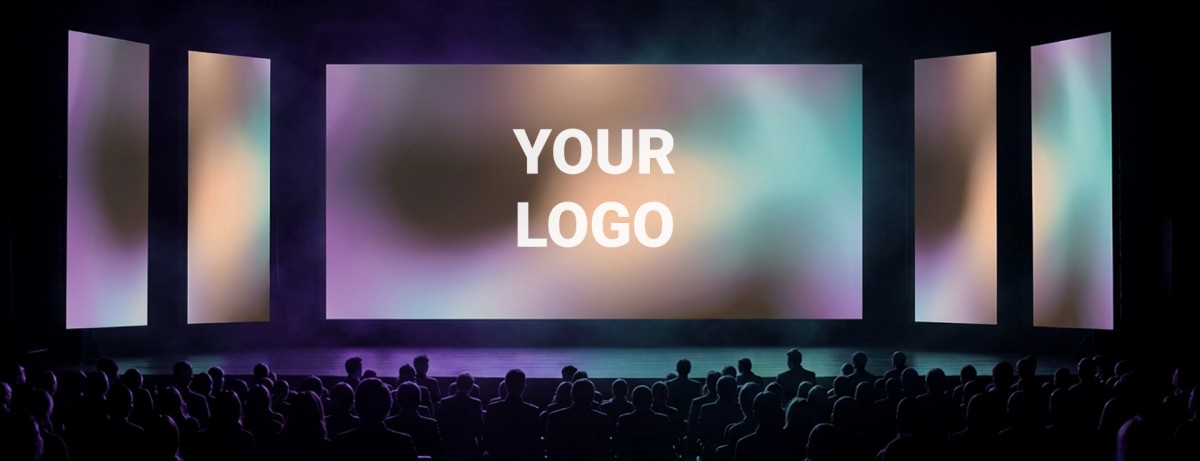
What sponsors get:
✔️ Their own slide, or their logo on the intro and outro
✔️ A watermark (small logo) in the corner of the video
✔️ Intro, break and outro screens, static or animated
✔️ Lower thirds with their speakers' names and company
✔️ A branded picture-in-picture layout for export to other platforms
How it works: graphics are planned with your production manager before the event, along with the rest of the technical details. You provide sponsor logos and brand assets, SlidesLive designs the graphics, and you review them before anything goes on screen. Break screens are an easy win: during coffee and lunch the live stream shows a placeholder slide anyway, so let it carry a sponsor.
Browse graphics examples ›
Highlight Video
A 1 to 3 minute recap of the whole event: the energy, the moments, the people. Professionally edited with music, sound design, color grading and effects, in formats for any platform. It's the one asset everyone shares afterwards, sponsors included.
What sponsors get:
✔️ On-camera testimonials: their team, in their own words
✔️ Their branding throughout the video
✔️ A ready-made asset for their own channels
How it works: before the event, you and your production manager agree on the shots, the mood, the music, and who gets interviewed and when. On the day, a videographer captures the event discreetly and records the interviews. The edit follows within a few days, and expedited editing is available when timing matters.
Social Media Reels
30 to 60 second clips of the strongest moments from their speakers' talks or sponsored sessions, branded, captioned and delivered shortly after the event.
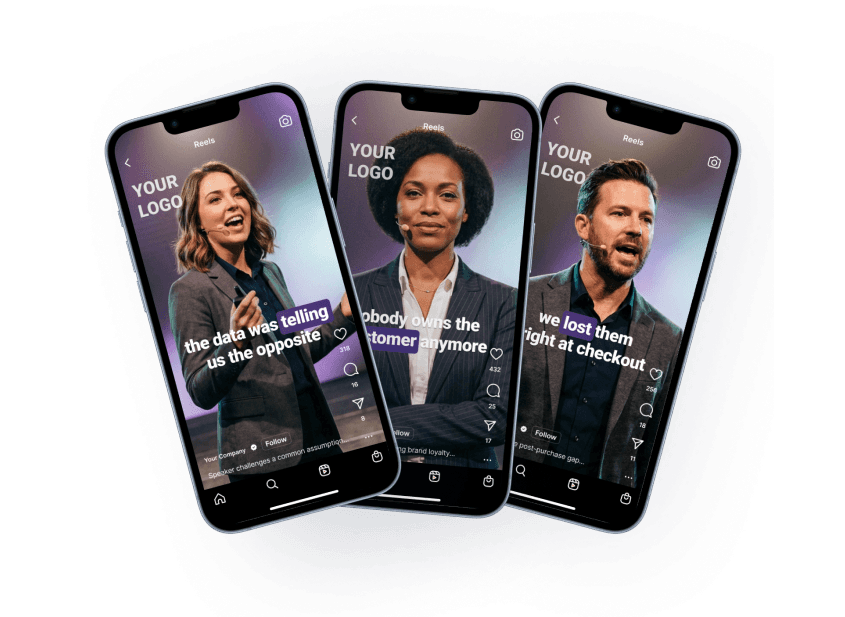
What sponsors get:
✔️ Their logo built into the video
✔️ On-brand animated captions (style, colors, fonts)
✔️ Portrait, square or landscape, for any platform
✔️ Transcripts, summaries and key takeaways for posts, newsletters and blogs
How it works: reels are cut from the session recordings, so there's no extra filming on site. You flag which sessions matter most to each sponsor. The clips arrive ready to post, and every time a sponsor shares one, your event reaches their audience too.
Matching Options to Sponsor Goals
Different sponsors want different things. A quick way to match them:
Wants leads: a sponsored session behind an email gate
Wants brand visibility: graphics on every screen, plus a watermark across session videos
Wants content for their channels: reels from their talks or sponsored sessions
Wants to be seen as a partner: a spot in the highlight video
After the Event
Send each sponsor their numbers, their leads and their assets. Because the recordings stay online, the views keep adding up, so a second report six months later, right when you're selling next year's packages, gives you a fresh reason to talk renewal.
📢 Putting together next year's sponsor offer? Book a call and let's build your video sponsorship package together.


