Events
How to Get More Value From Your Event Recordings
10 min read
You spent months on the event: finding the right speakers, building the agenda, and keeping a hundred moving parts in sync. Then the event ends, the team exhales, and the recordings often end up sitting in a folder somewhere.
⚠️ That is where a lot of value gets lost.
At SlidesLive, we have recorded almost 4,000 events worldwide, so this guide is based on what we see across thousands of events: what organizers publish first, what gets reused, and which talks keep attracting attention long after the event is over.
Done well, recorded talks can turn a single event into a year-round content pipeline. They can keep working in attendee follow-ups, speaker sharing, marketing, education, and promotion of the next edition. For more on why event recording matters, see Why Record Your Next Event.
Below, we look at the main decisions that shape post-event value: where talks should live, what to publish first, how to reuse session recordings over time, and how to use analytics to decide what deserves another push.
Plan the Post-Event Home Before the Event Starts
Where your talks will live after the event is a pre-event decision. It shapes the viewing experience, the access model, and how the content will be shared afterward.
A folder of files or a batch of links may technically deliver the recordings, but it does not make them easy to browse, revisit, or use.
A good post-event video home should do three things well:
Choose the Right Access Model
In practice, most organizers choose one of three access models:
Public: Best when reach matters most. Open access makes talks easy to share and discover. This is common for mission-driven organizations, think tanks, communities, and some academic events, where the main goal is visibility, education, or broad knowledge sharing.
Gated: Best when recordings are part of attendee, member, or paid value. This is common for associations, professional societies, and corporate events.
Mixed: Best when organizers want both reach and exclusivity. Some talks are public, while the full archive stays gated. This is common for commercial conferences and ticketed events that want to promote selected content while keeping broader access exclusive.
Practical tip
Recordings can work as a lead generation tool. Requiring an email before viewing turns your content archive into a contact list builder.
Decide Where the Content Should Live
Where people watch your talks affects how easy the archive is to browse, share, and return to later.
Hosted library: Best when you want one clear, searchable home for the full archive. Blueprint Vegas is a good example of this approach, with a dedicated branded video library.
Embedded on your website: Best when you want the content to stay inside your event experience and sit alongside your agenda, speaker pages, or recap content. This works especially well for large multi-track academic conferences like NeurIPS, ICML and ICLR, where attendees often want to revisit specific sessions in context.
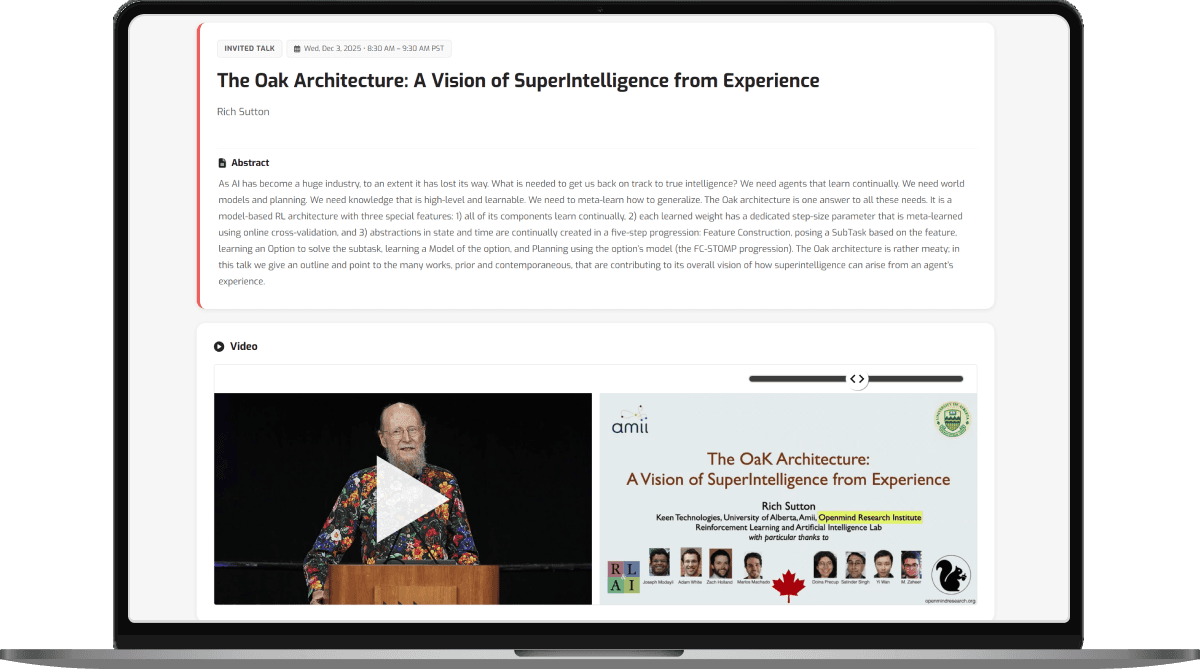
YouTube, Vimeo, and other platforms: Best when broad public reach is the priority. They are familiar and easy to share, but usually less useful when you need structured navigation, gated access, or a more polished event archive. Ai4 and RETCON are examples of organizers using public platforms for selected content.
The right playback format makes a difference. Conference talks are not just talking-head videos. Slides often carry a large part of the value, so format affects how useful the recording actually is. For more on that, see Choosing the Right Video Playback Format: Pros & Cons.
Practical tip
Monetization is easier to plan early. If you want to sell post-event access, keep that in mind before the event starts. Paywalls, gated access, and payment flows work best when they are built into the platform you choose, not added as an afterthought.
Before the event starts, decide:
☑️ who should have access to the recordings
☑️ whether the archive should be public, gated, or mixed
☑️ where the talks should live after the event
☑️ whether the talks should be embedded on your site
☑️ whether slides are central enough to require a slide-friendly playback format
When organizers leave these questions until after the event, they often end up with recordings that are technically delivered but much harder to use, share, or build on later.
What to Share First After the Event
Post-event publishing is not one big delivery moment. Different assets do different jobs, and the most time-sensitive ones should go out first. Start with the formats that benefit most from momentum, while the event is still fresh and people are still talking about it.
Short Clips for Social
Short clips cut from talks are usually the first asset worth publishing. They are fast to consume, easy to share, and most effective while the event is still part of the conversation. Publish them as soon as possible, while audience attention is still high and speakers are still likely to repost event content.
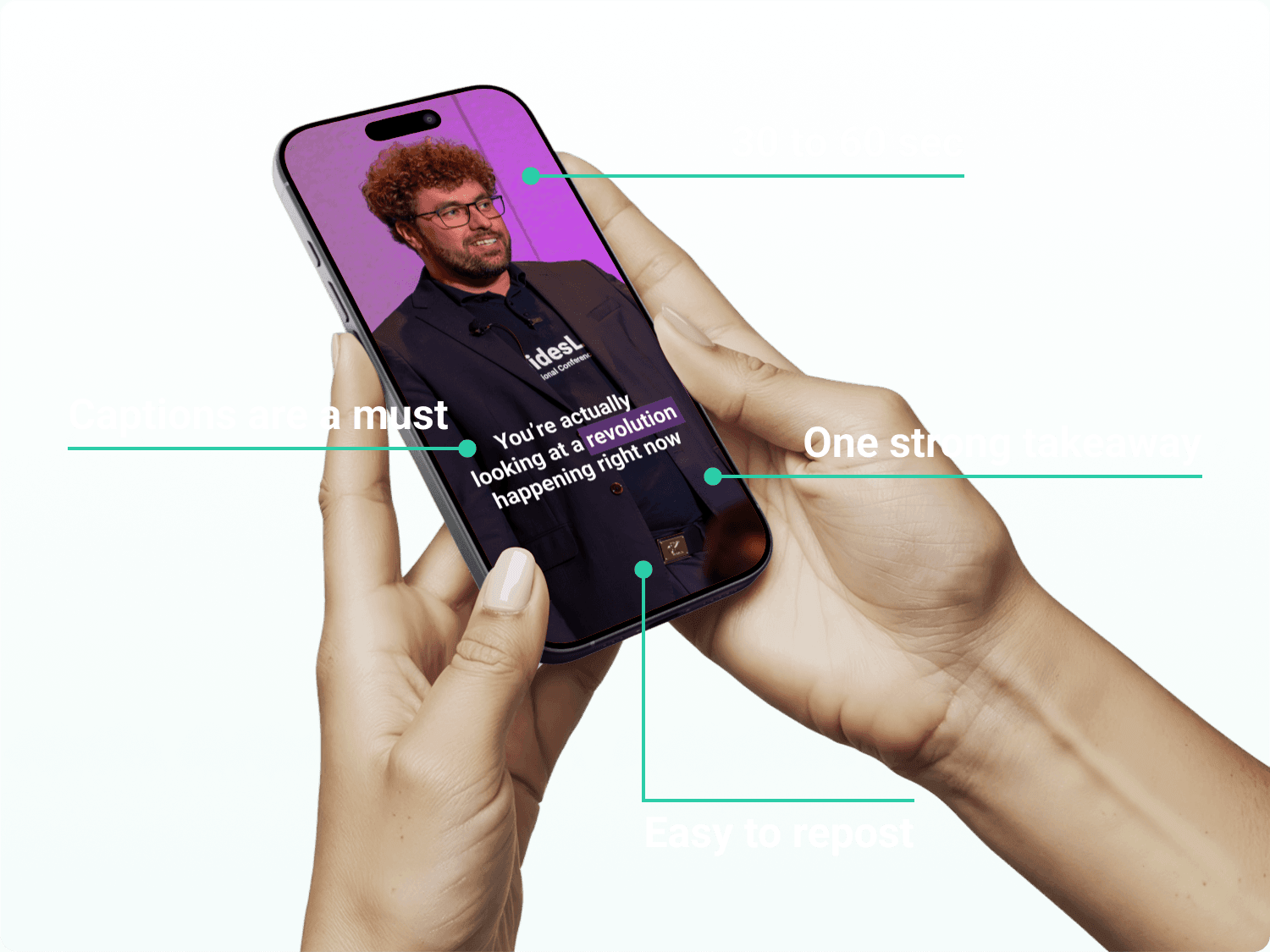
The best clips can stand on their own: a sharp insight, a surprising statistic, a provocative one-liner, or a concise answer to a big question. They should still make sense even without the full session. As a rule of thumb, aim for 30 to 60 seconds. If the point lands faster, even better.
Formats vary by platform, but one rule stays the same: always add captions. A large share of social video is watched without sound, especially on mobile.
Practical tip
Send ready-to-share clips to speakers and sponsors. A speaker posting their own session will often outperform the same clip from the event account.
Highlight Video
If short clips help you stay visible right after the event, the highlight video helps you keep promoting the event after it is over.
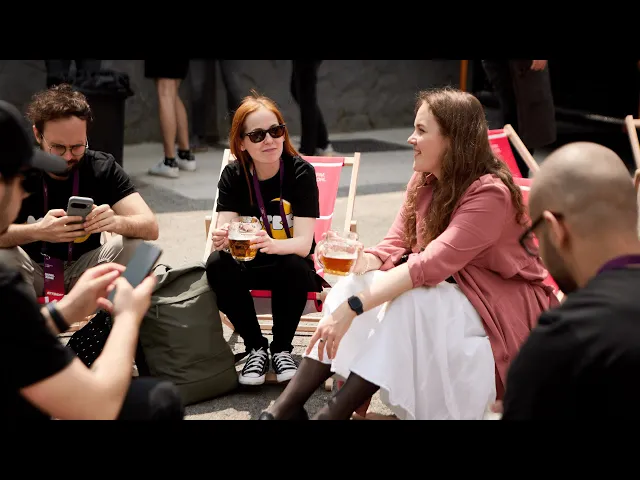
A strong highlight video captures the atmosphere of the event in a way full session recordings cannot. It gives future attendees, sponsors, and partners a quick sense of what the event felt like and why it mattered.
That is why the highlight video is often one of the most useful post-event assets. It has a long shelf life and works across multiple channels, from your website and social media to sponsor outreach, sales materials, and promotion of the next edition.
The sweet spot is usually around 1 to 3 minutes: long enough to show the experience, short enough to stay watchable. If you plan to use it across channels, it can also be worth preparing both horizontal and vertical versions from the start.
To make the highlight truly useful, it should include more than stage footage. Audience reactions, venue shots, networking moments, sponsor branding, and short attendee or speaker testimonials make the result much stronger. Those testimonial clips can also be reused separately later.
Practical tip
Do not bury the highlight video in a recap post. Put it where it can keep working: on your homepage, event page, ticketing page, sponsor deck, or anywhere a future attendee or partner is deciding whether the event is worth their time.
Priority Full-Session Edits
Not every full-session recording needs the same turnaround. But some talks do need to move fast.
We increasingly see requests for same-day, overnight, or next-day delivery for keynotes, general sessions, invited speakers, and headline panels. These talks usually carry the most momentum during and right after the event. They may support PR, sponsor visibility, media coverage, or early post-event marketing, while audience interest is still at its highest.
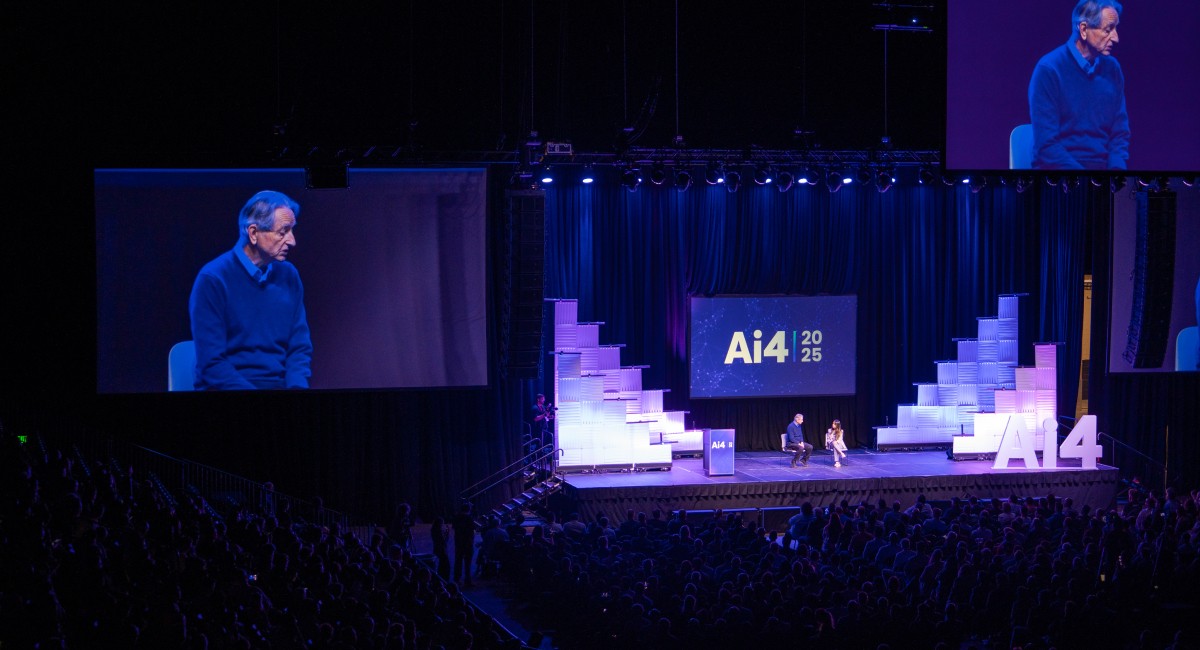
Ai4 is a good example. SlidesLive delivered Geoffrey Hinton’s session the same day, and it was later featured on CNN. For Ai4 2026, all general sessions are planned for delivery within 12 hours. For some organizers, post-event delivery is now part of the event itself.
Practical tip
Decide in advance which talks are flagship sessions for express editing. That list is usually short.
The rest of the session library still matters. But the first wave of publishing should focus on the sessions with the most immediate visibility and demand.
Turn One Event into Months of Content
Do not stop at uploading the full recordings. Pick the strongest sessions and keep reusing them in formats that fit different channels and moments throughout the year.
Start small. Choose 5 to 10 talks with the strongest reuse potential. A good place to start is with sessions that drew attention live, featured a strong speaker, or still feel relevant after the event itself.
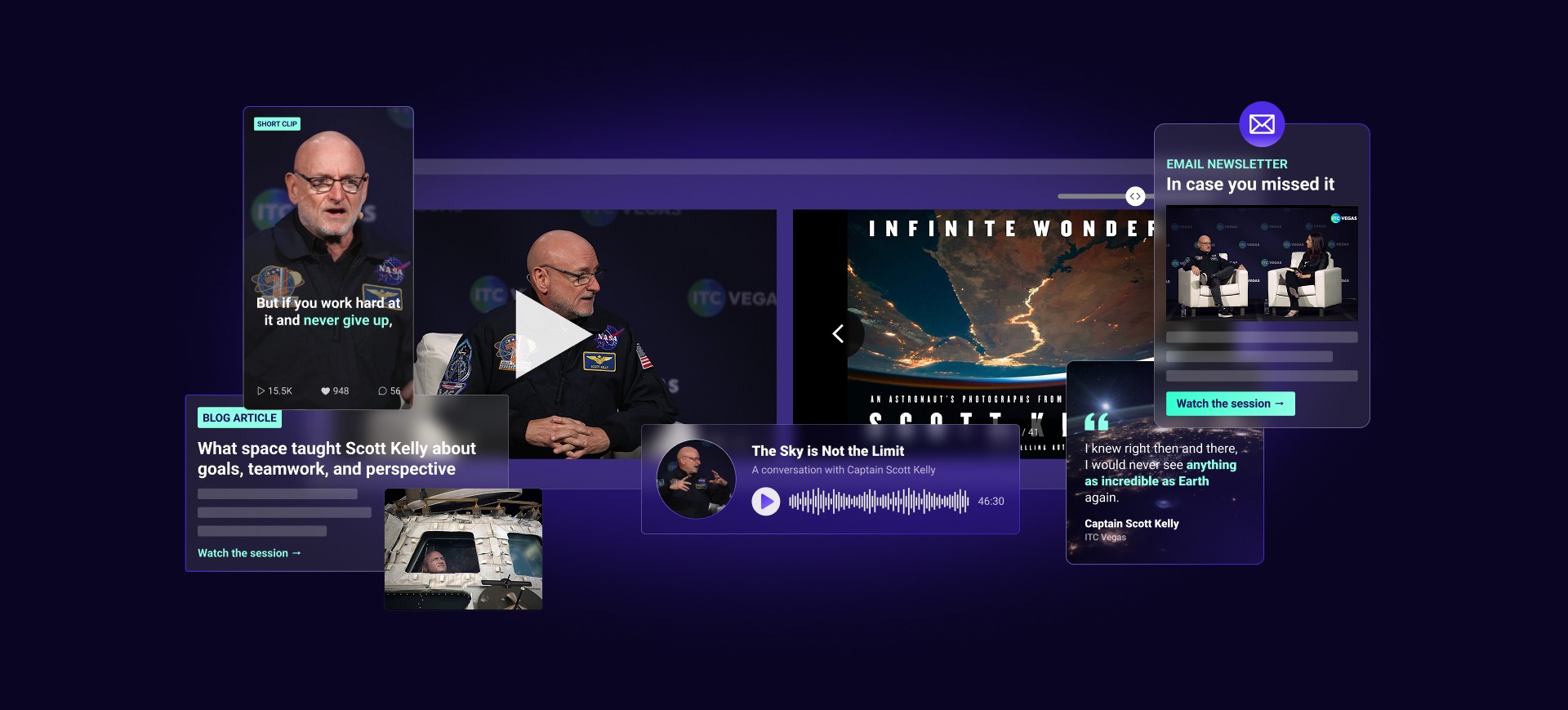
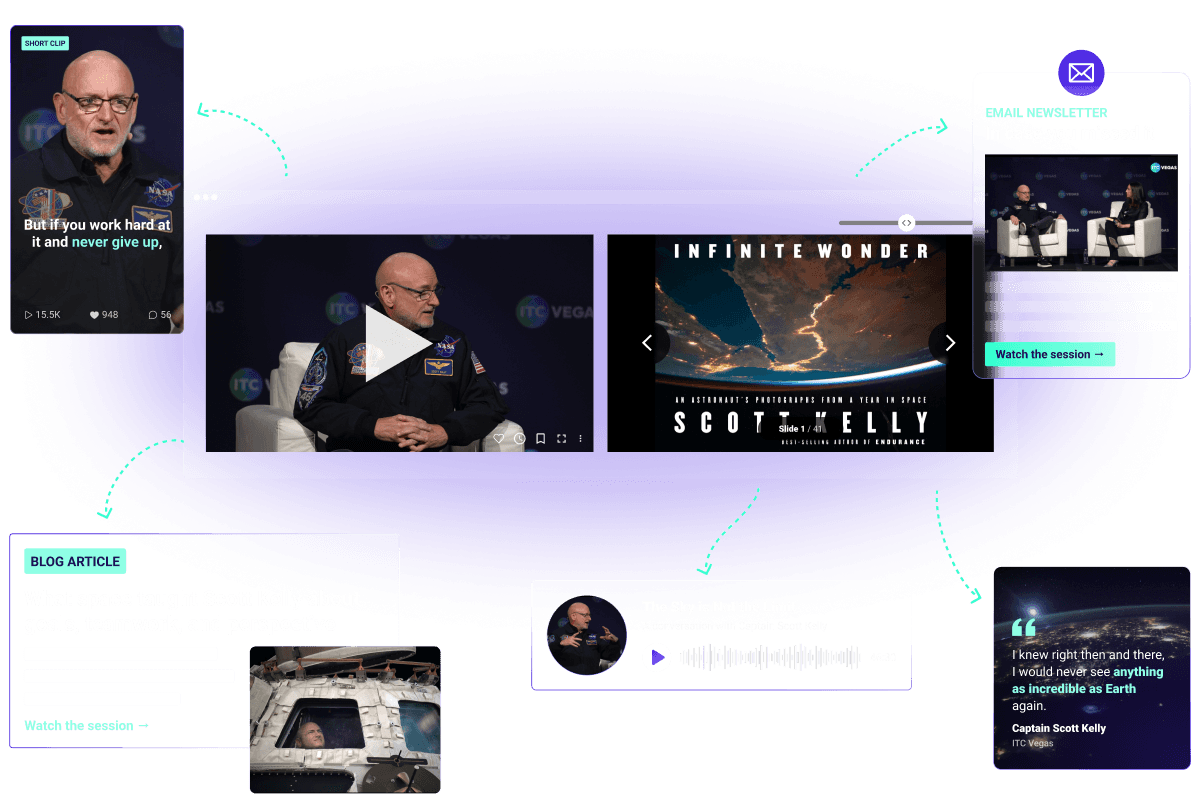
One strong session can fuel months of content, from the full replay and short social clips to quote posts, blog recaps, themed roundups, audio versions, and even internal training.
This is often the moment the value clicks for organizers: when one session stops being just a recording and starts becoming multiple assets. That is when the conversation shifts from cost to investment.
Practical tip
Start with the transcript. AI can generate it from the recording, then help turn it into quotes, summaries, social copy, email blurbs, blog outlines, and clip ideas.
It also helps to group content, not just publish it one by one. Collections like “Top 5 talks,” “Sessions on one trend,” “Most-viewed sessions,” or “Speaker highlights” are easier to reshare and easier for people to click.
Email can be part of this too. A strong session can come back in attendee follow-ups, topic-based roundups, or “in case you missed it” emails. And if a talk works well without slides, it may also be worth turning into a short audio or podcast-style asset.
You can also tie older content to new moments by resharing a talk when registration opens, a speaker is announced again, or a topic returns to the news.
Do not try to repurpose everything. Most of the long-term value usually comes from a relatively small number of standout sessions.
Learn From What People Actually Watch
Post-event content should not just be distributed. It should also tell you what worked.
Many organizers still rely mainly on surveys to understand which sessions landed best. The problem is that only a fraction of attendees usually fill them out. Analytics give you a much clearer picture and, for many organizers, a way to validate ROI.
Instead of guessing which talks mattered most, you can see which sessions people actually clicked on, finished, returned to, or kept watching over time.
That helps answer questions like:
Which talks got the most attention?
Which topics kept attracting views after the event?
Which speakers are worth promoting again?
Which sessions deserve clips, blog posts, or another round of sharing?
Analytics are most useful when they lead to action. If one session clearly outperforms the rest, do more with it. Cut another clip, feature it in an email, include it in a roundup, or use it to promote the next edition.
The same patterns can help shape next year’s agenda by showing which topics, formats, and speakers keep attracting attention.
Practical tip
Do not look only at views. A talk may get clicks because of the title or speaker, while another holds attention much better. The more useful question is not just what got opened, but what people actually watched.
Whatever tool you use to host post-event content, make sure it also gives you meaningful analytics. Otherwise, you are storing videos without learning from them.
Common Mistakes That Undercut Good Event Content
❌ Publishing too late
Short clips, highlight videos, and priority sessions lose momentum when they sit in the queue too long.
❌ Treating every session the same way
Some sessions deserve fast-turnaround and heavy promotion. Others don't. Treating them all the same wastes time and budget.
❌ Publishing once and moving on
Strong sessions usually need more than one life: clips, emails, roundups, blog posts, or another push later.
❌ Sharing recordings without a clear content hub
A few isolated links are much less useful than one organized place to browse, revisit, and keep watching.
❌ Not involving speakers in distribution
Speakers have their own audiences. A speaker posting their own session will often outperform the same clip from the event account. Send them ready-to-share assets.
❌ Ignoring what actually performed best
Without analytics, it is much harder to know which talks, topics, or speakers deserve more promotion and what the content actually delivered.
A Simple Timeline for Your Event Content
1
Before the event
Choose priority assets. Decide which talks need fast turnaround, which sessions are most likely to produce strong clips, and whether a highlight video is part of the plan.
Plan the content home. Decide where recordings will live, who will have access, and how people will reach the content after the event.
Map your channels. Decide what belongs on your website, in attendee emails, in speaker outreach, and on social.
Focus on:
Plan
Set up
Prepare
2
During the event
Flag standout sessions. Note strong talks, memorable quotes, and moments that are likely to deserve clips or extra promotion later.
Capture highlight material. Record audience reactions, venue shots, sponsor branding, and short testimonials.
Focus on:
Capture
Flag
Collect
3
First 48 to 72 hours
Publish short clips first. Start with clips from talks, speaker snippets, and any session with immediate PR, sponsor, or social value.
Equip speakers to share. Send ready-to-use clips and links while the event is still fresh.
Publish the highlight video. Release it as soon as it is ready, especially if you want to use momentum to promote the next edition.
Release priority sessions. Publish keynotes, invited speakers, and other flagship talks that need to move fast.
Send a quick follow-up email. Thank attendees, keep attention warm, and let them know recordings are coming soon.
Focus on:
Publish
Share
Amplify
4
First 1 to 2 weeks
Launch the full library. Give people one clear place to watch, browse, and catch up on missed sessions.
Send the recordings email. Link to the library and highlight a few recommended talks to start with.
Send a curated follow-up. Group talks by topic, track, speaker type, or “in case you missed it” themes.
Start repurposing standout talks. Turn strong sessions into blog posts, quote graphics, roundups, and email features.
Reuse audio where it fits. If a talk works well without heavy slide dependence, turn part of it into an audio or podcast-style asset.
Focus on:
Launch
Repurpose
5
Following months
Keep reusing strong sessions. Bring them back as social posts, blog content, curated collections, and speaker spotlights.
Keep email working. Feature strong talks in topic roundups, follow-up newsletters, and “top sessions” emails.
Tie content to new moments. Re-share talks when registration opens, a speaker is announced again, or a topic returns to the news.
Promote the next edition. Use highlight videos, top talks, and testimonials to remind people what they missed.
Let analytics guide the next push. Use performance data to decide which talks, topics, and speakers deserve more visibility and how to plan better next time.
Focus on:
Reuse
Promote
Optimize
Your event content should not stop working when the event ends.
The organizers who get the most from recordings usually do one thing differently: they treat recording, delivery, hosting, and reuse as one connected workflow.
SlidesLive is built for exactly that. We record talks end to end, edit and deliver them quickly, create highlight videos and short clips, and help you publish the content in the format that fits your strategy, whether that is the SlidesLive Library, embedded playback on your site, or exported files for your own channels. With any streaming package, you can receive reels from keynotes within 24 hours. For highlight videos, editing time depends on your selected package and specific requirements, reach out for pricing and turnaround details. We can also support privacy, monetization, and analytics when those matter to your post-event plan.
That means less patchwork after the event and a much clearer path from live sessions to long-term content value.
📢 If you want to explore what that could look like for your event, let’s talk.